

A simple answer first: an activity timeline turns scattered online checks into a readable pattern. For people who want whatsapp and telegram last seen tracking with less guesswork, that matters because timing trends are usually more useful than isolated status changes.
Seen Last Online Tracker, SUNA is a mobile app for iPhone and Android that helps users follow WhatsApp and Telegram activity patterns more clearly, instead of repeatedly opening apps or relying on manual notes. The improved feature here is an activity timeline view that groups status changes into an easier sequence, so users can see when someone was active, how often short sessions happen, and whether a routine is stable or irregular.
That may sound like a small interface update. In practice, it changes how people read online behavior. A list of timestamps gives raw data. A timeline gives context.
Why this feature matters more than another status log
Most people do not struggle because they lack data. They struggle because the data arrives in fragments. One check at 9:12, another at 9:47, another before bed. After a while, those fragments become noise.
The improved timeline is useful because it answers a more realistic question: not “Was this person online once?” but “What does the broader pattern look like today, this week, or at the times I actually care about?”
That difference is especially relevant for users who previously depended on manual checking through whatsapp web, telegram web, or repeated app refreshes. Those methods are fine for a one-off glance, but they are poor tools for noticing recurring behavior. A timeline compresses repeated observations into something you can read at a glance.
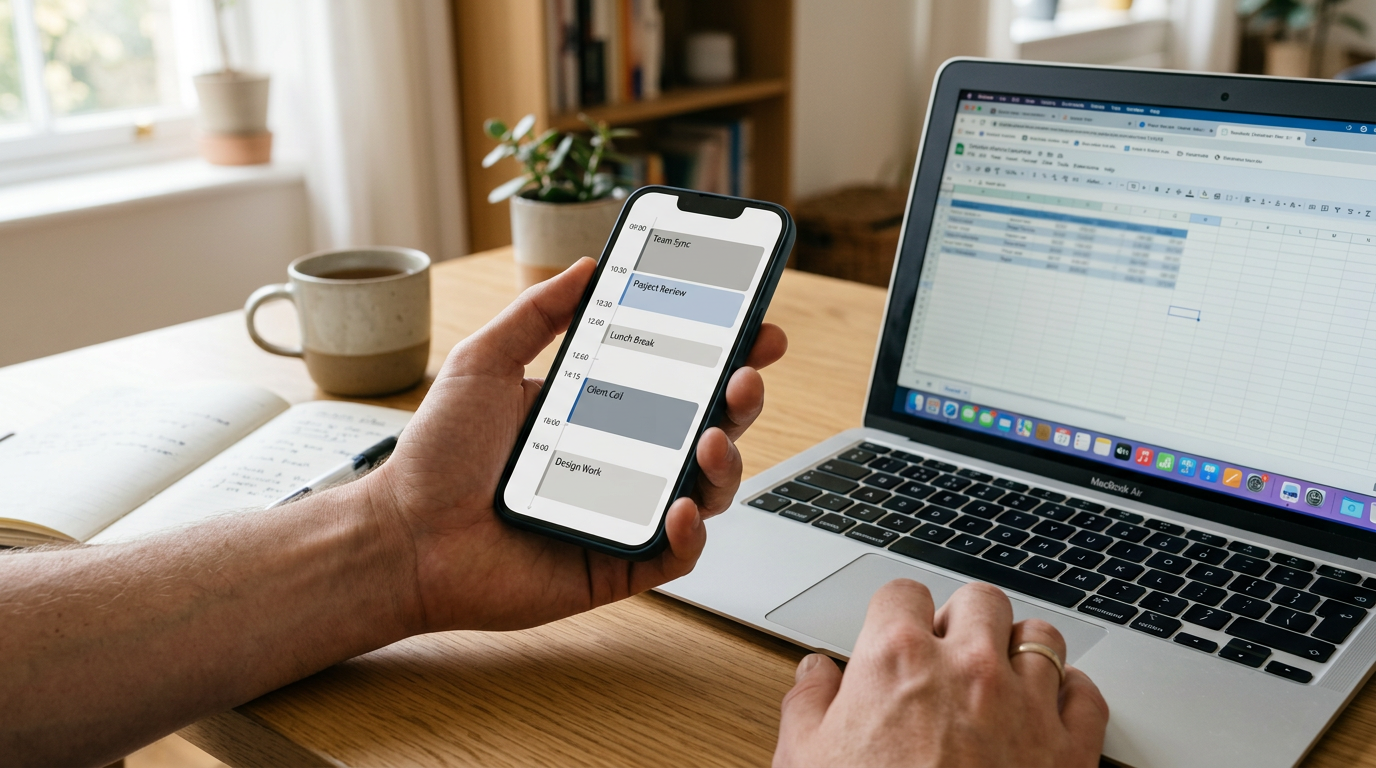
What the timeline actually helps you see
Instead of thinking in single moments, think in blocks of activity.
For example, an improved timeline can make these patterns easier to notice:
- short bursts of online activity spread throughout the day
- regular evening check-ins that happen at nearly the same hour
- late-night sessions that are easy to miss with manual checking
- long gaps where no activity appears at all
- days where a routine changes suddenly
That is the practical value. People rarely need one isolated timestamp. They usually want a clearer picture of frequency, timing, and consistency.
Three practical scenarios where it genuinely helps
It is easy to talk about features in abstract language. It is more useful to look at realistic situations.
1) You are trying to reduce constant checking
A common habit in whatsapp and telegram monitoring is repeated refreshing. People check, wait, check again, and still feel unsure because they only saw tiny slices of activity.
An activity timeline helps by replacing repeated spot-checking with review. Instead of watching in real time all day, users can come back later and read the pattern more calmly. That makes the experience less obsessive and more structured.
If your goal is not constant surveillance but clearer interpretation, Seen Last Online Tracker, SUNA’s timeline is designed for that.
2) You need to compare weekdays and weekends
Many routines change depending on the day. A student may appear online between classes during the week and much later on weekends. A remote worker may have very regular daytime activity from Monday to Friday, then almost none on Saturday.
Without a timeline, those differences are easy to misread. With one, you can quickly tell whether a pattern is normal variation or an actual shift.
3) You care about timing, not just presence
There is a big difference between someone appearing online once for a few minutes and someone returning ten times in short intervals. A raw log may technically contain both facts, but a timeline makes the contrast obvious.
This is where the feature becomes more than a visual improvement. It changes interpretation. Timing density often tells a more complete story than a simple yes-or-no online state.
Who gets the most value from this
This improved view fits users who want organized pattern reading rather than scattered status checks. In practice, that often includes:
- people who already monitor recurring activity windows on WhatsApp or Telegram
- users who are tired of checking telegram app screens and browser tabs repeatedly
- those who prefer reviewing trends later instead of trying to catch every moment live
- users comparing activity at specific hours, such as early mornings, work breaks, or late evenings
It is also useful for people who want something more readable than DIY methods. A spreadsheet, handwritten notes, or occasional checks through web versions can work, but they usually break down once the pattern becomes frequent or irregular.
Who this is not for
Not every feature suits every person, and saying that plainly builds more trust than pretending otherwise.
This timeline is probably not for you if:
- you only want a one-time glance and do not care about historical context
- you are looking for a broad messaging app replacement rather than a focused tracking tool
- you expect entertainment features similar to unrelated search trends like last of us content, rather than status analysis
- you prefer unofficial modified messaging clients such as gb whatsapp instead of a dedicated tracking approach
That last point matters. Modified apps and workarounds often try to do many things at once. A focused tracking app takes the opposite route: it is built specifically for reading activity patterns more clearly.

What makes a good tracking feature, beyond “more data”
When users compare options for seen and online activity tracking, they often ask the wrong first question. They ask how much data they can see. A better question is how easy that data is to interpret.
Here is a practical decision framework:
- Readability: Can you understand a day’s activity in seconds, or do you have to decode a long list?
- Pattern visibility: Can you spot repeated hours, gaps, and clusters of activity?
- Ease of use: Does the feature reduce checking, or does it encourage more of it?
- Platform fit: Does it work for the services you actually use, such as WhatsApp and Telegram?
- Focus: Is the product built directly for status analysis, or is tracking buried inside a wider set of unrelated tools?
The timeline improvement matters because it scores on the first two points. It helps people read behavior instead of collecting disconnected moments.
A quick comparison: manual checks vs timeline view
| Approach | What it does well | Where it falls short |
|---|---|---|
| Manual checks on app or web | Good for one immediate glance | Easy to miss short sessions and hard to compare across time |
| Notes or spreadsheets | Can capture custom observations | Time-consuming and difficult to maintain consistently |
| Timeline-based tracking | Better for seeing frequency, clusters, and routine changes | Most useful when you care about patterns, not just isolated moments |
That is why this kind of improvement matters. It does not promise magic. It simply makes a recurring task easier to interpret.
Questions users usually ask once they try a timeline
“Will this help if I only check once or twice a day?”
Yes, especially then. A timeline is most valuable when you cannot or do not want to watch activity continuously.
“Is this only for heavy users?”
No. It is often more helpful for moderate users who want structure without turning tracking into a full-time habit.
“Does this replace WhatsApp Web or Telegram Web?”
Not really. Those are access points for messaging. A timeline feature is for reading activity history and patterns more clearly.
“What if the pattern changes from day to day?”
That is exactly where a timeline becomes useful. Irregular behavior is harder to understand from isolated checks than from a visual sequence.
Why this feels different in everyday use
The strongest feature updates are often the ones that lower mental effort. This one does that by changing the task from monitoring to reviewing.
For real users, that can mean fewer browser tabs, less refreshing, and less dependence on memory. You do not have to remember whether someone was active around lunch three days in a row. You can simply look at the pattern.
And because Seen Last Online Tracker, SUNA is built directly for WhatsApp and Telegram status analysis, the feature fits the job naturally instead of feeling bolted onto a general-purpose tool.
If you want a clearer way to understand recurring activity, rather than just collect more timestamps, this improved timeline is one of the more practical updates a tracking app can offer. It does not change what online status is. It changes how understandable that information becomes.